Four ways in, none of them a bank login
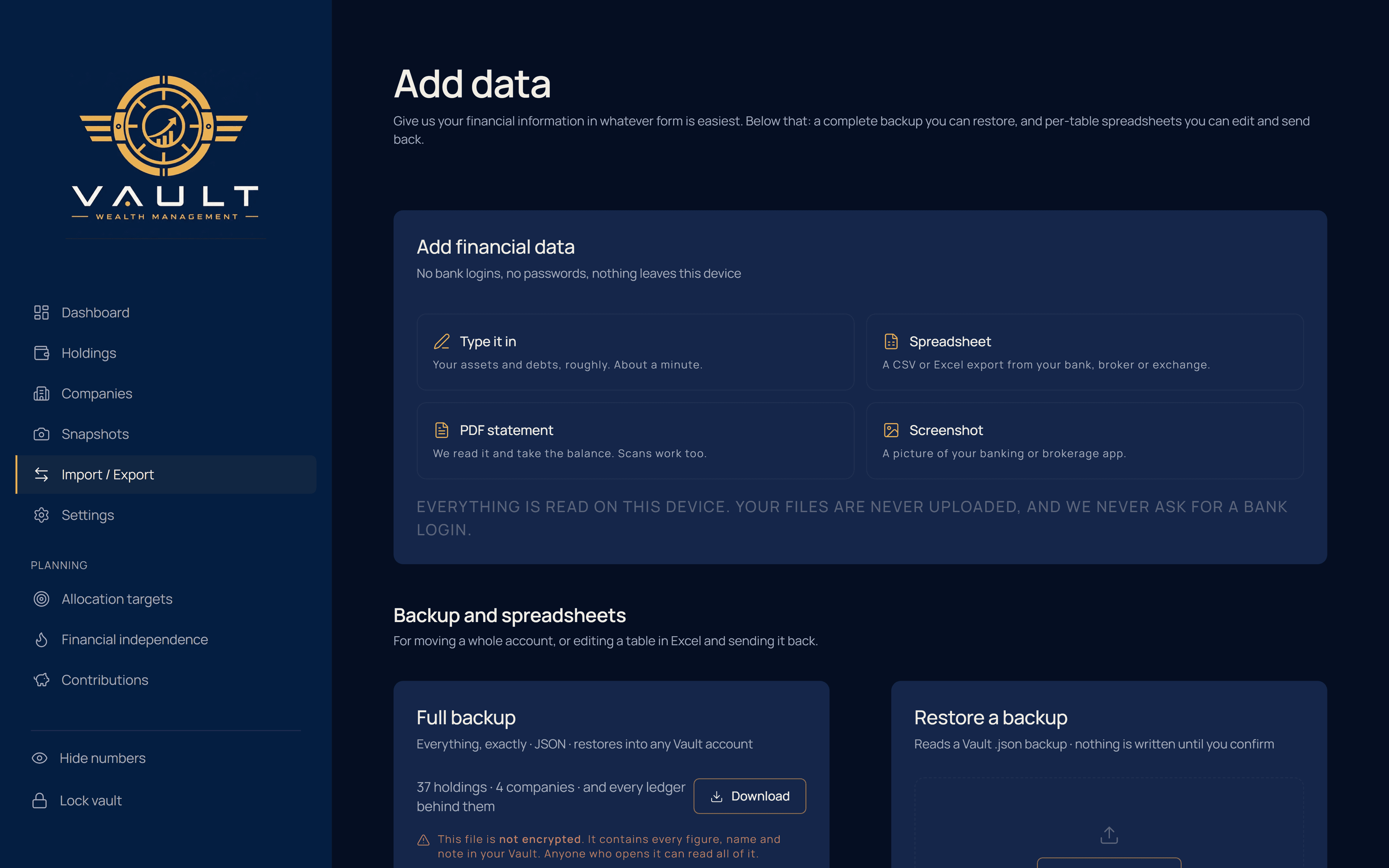
Type a holding in under thirty seconds, paste a spreadsheet and map its columns, drop a PDF statement or a screenshot and let Vault read the rows out of it, or restore a full backup. Files are read in your browser. Nothing is uploaded to be parsed elsewhere.
By hand, quickly
Name, class, currency, value. A ticker if it has one. Thirty seconds, and the position prices itself from then on.
From a spreadsheet
Drop a CSV or an Excel file. Vault guesses which column is the name, the value, the currency and the ticker, and shows you the mapping before anything is written. Correct it once and import the rest. Semicolon-delimited files — what a European Excel writes — are detected automatically.
From a statement
A broker PDF, a scanned page, a screenshot of a portfolio. Vault extracts the rows, shows them in a review table, and writes nothing until you confirm. Reading happens in the browser, on your machine.
From another device
Export a full backup as a single file and restore it into any Vault account. Merge with what is already there, or replace it — and the replace is typed out in full before it runs.
And the way back out
Your data leaves as easily as it arrives: a complete backup that restores anywhere, or one CSV per table for a spreadsheet. No export fee, no downgrade lock, no support ticket.
No bank logins, no passwords, nothing leaves this device unencrypted.